
To migrate license of Frontend Product Editor from the old site to the new one, follow the steps below:
- Navigate to the “Website” Section to view the list of websites where the license is currently activated.
- Click on the site whose license you want to deactivate.
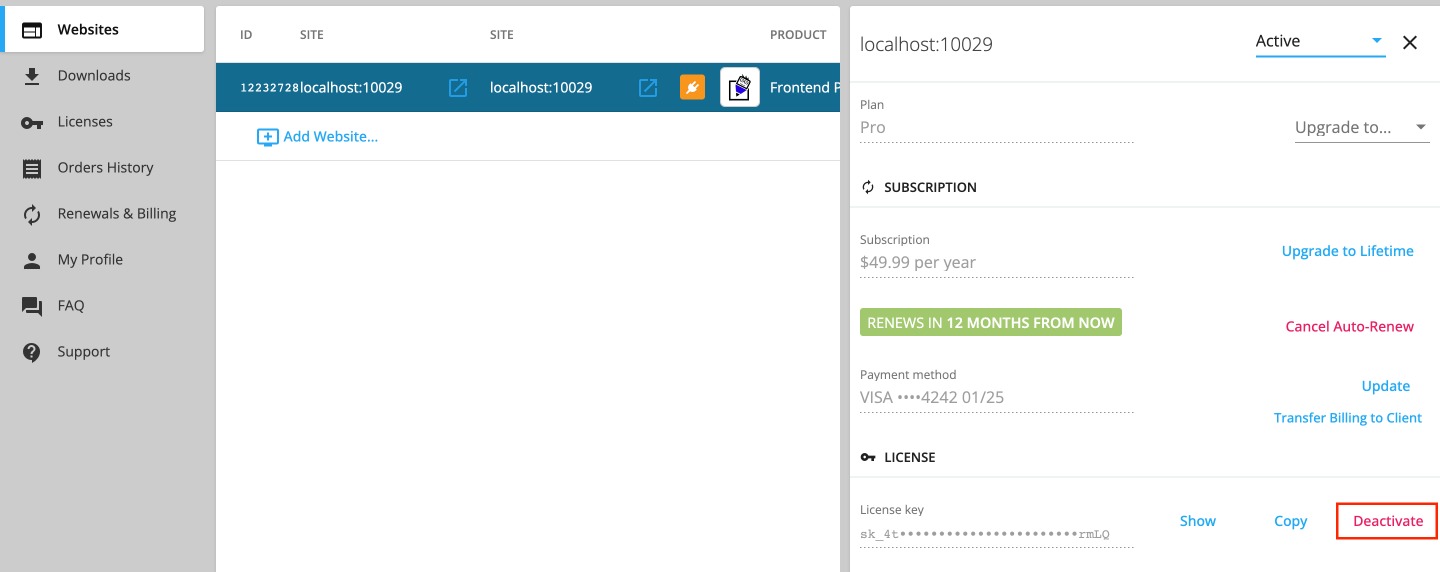
- After selecting the desired website, locate the “Deactivate” link associated with that site.
- Click on the “Deactivate” link to remove the license from the selected site and proceed to activate the license on your live website.