
You have the flexibility to upgrade your Frontend Product Editor license at any time you want. The upgrade charges will be calculated on a prorated basis, ensuring you are charged accurately for the remaining duration of your current license.
To upgrade the license, follow these steps:
- Navigate to the License option and select the plugin for which you wish to upgrade the license; you will find all the details associated with the selected plugin displayed in that section.
- Next, Click on the “Upgrade To” dropdown.
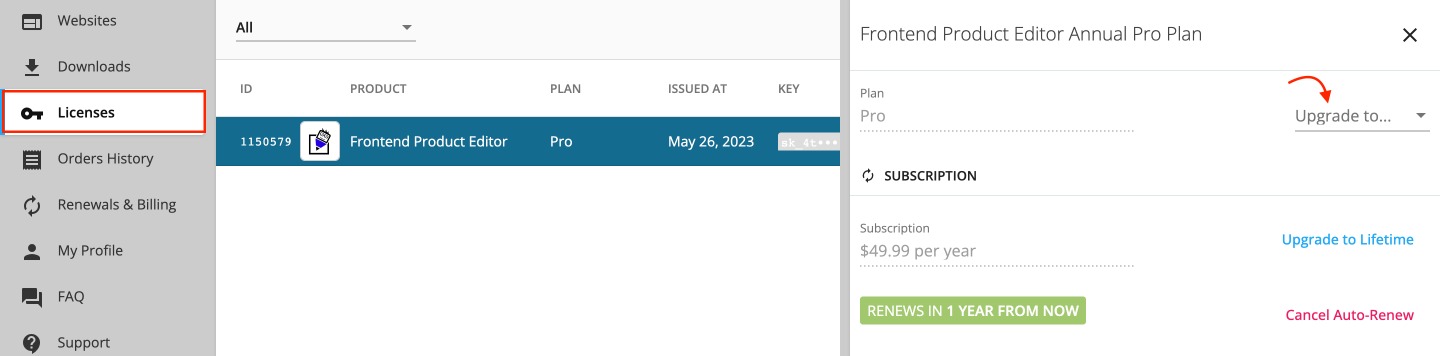
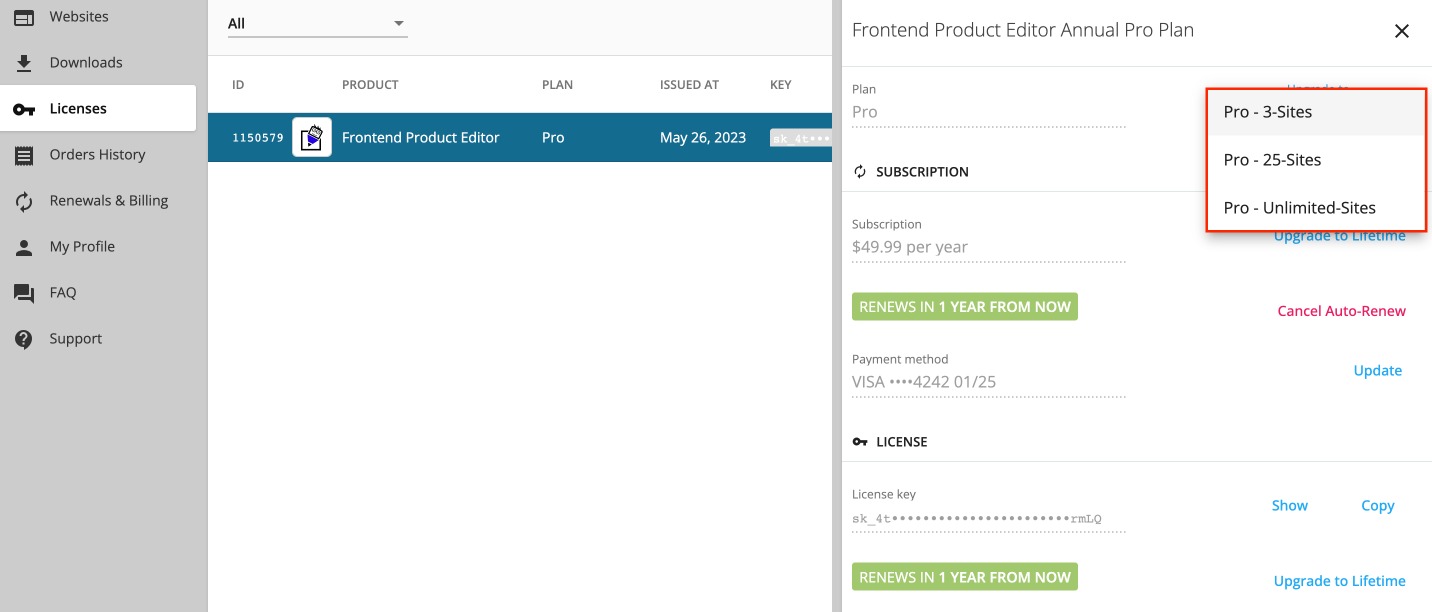
- After clicking on the dropdown menu, simply select the desired upgrade plan, and you will redirect to the Checkout page, where you can proceed to make the payment for the selected upgrade.
- Once your payment is confirmed, your subscription will be upgraded accordingly.
How is the Proration Discount Calculated?
When users upgrade a plan that was initially purchased as a subscription, they will receive a proration discount. This discount is calculated based on the remaining unused portion of their previous plan.
remaining_period = (1 - number_of_days_past_from_the_old_plan_last_payment / number_of_days_in_past_billing_cycle )

proration_discount = max(0, remaining_period x old_plan_last_payment )