
Content Lifecycle Manager
Keep Your WordPress Content Fresh, Accurate, and Under Control
Content Lifecycle Manager adds ownership, review scheduling, and lifecycle statuses to every post and page. Nothing goes stale, unmaintained, or forgotten on your WordPress site.
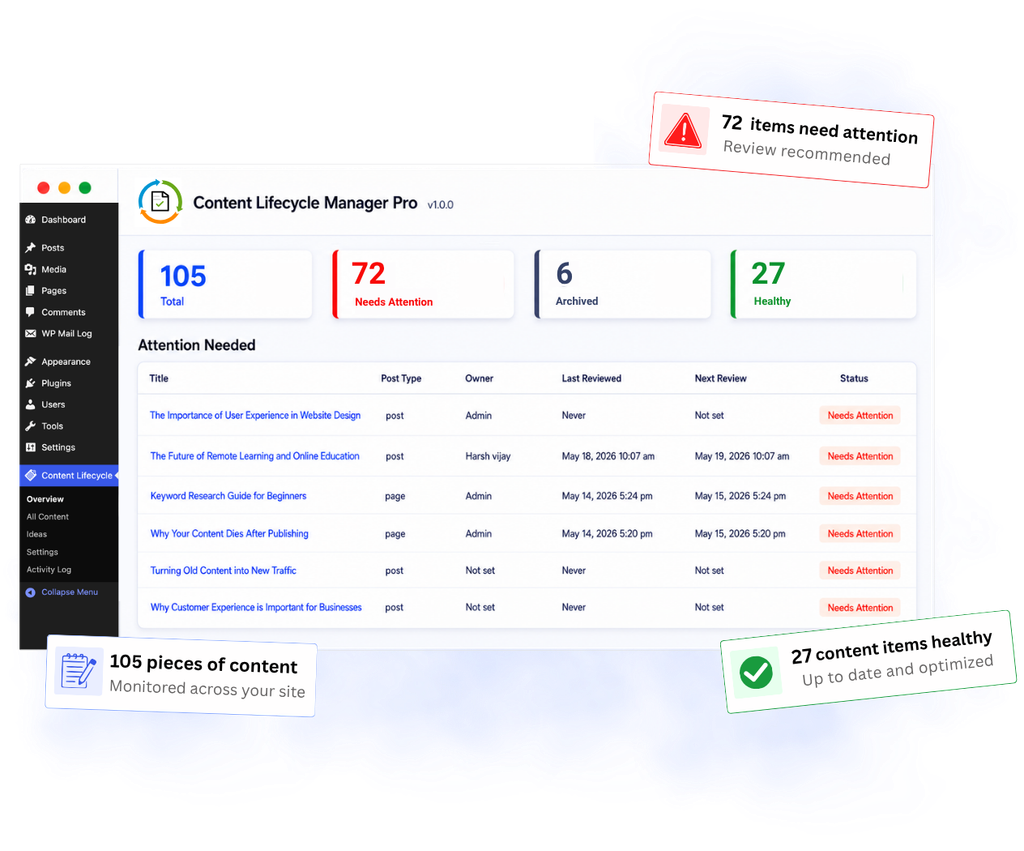
Your Content Library Has a Hidden Problem
Most WordPress sites publish content and never touch it again. No one owns it. No one reviews it. No one knows if it is still accurate.
Content Goes Stale Silently
Posts and pages get published and forgotten. Outdated product guides, broken links, and old blog posts sit live for years without anyone noticing.
No One Knows Who Owns What
When multiple people create content, it is hard to know who is responsible for keeping each piece current. Content falls between the cracks because nobody owns it.
No Way to See the Big Picture
WordPress gives you a list of posts, but no sense of content health. You cannot see at a glance what needs attention, what is current, and what can be archived.
Content Maintenance Made Simple
No complex setup. Install the plugin and your content management workflow transforms immediately.
1
Assign Ownership
Give every piece of content a clear owner. Know exactly who is responsible for keeping each post or page up to date.
2
Set Review Dates
Schedule when content should be reviewed next. The plugin tracks dates automatically and surfaces content when it is due.
3
See What Needs Attention
The Overview screen shows content health at a glance. See how many posts are healthy, how many need attention, and jump straight to work.
4
Take Action
Mark content as reviewed, snooze reviews for later, or archive content you no longer need to track. Every action is one click.
Built for Sites That Take Content Seriously
Content Management
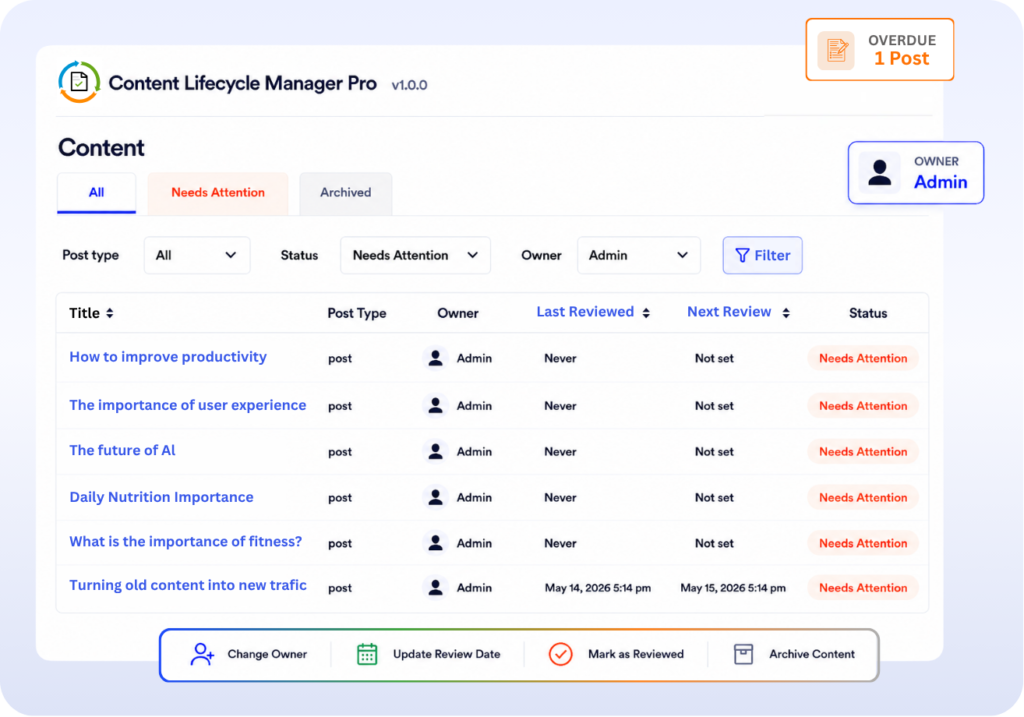
See Every Piece of Content — Its Owner, Status & Next Review Date
Track ownership, content health, and upcoming reviews without digging through WordPress post lists.
- Separate views for active, overdue, and archived content
- Filter content by owner, type, or lifecycle status
- Sort by review date to see what is overdue first
- Update owners and take action directly from the list
Editor + Activity
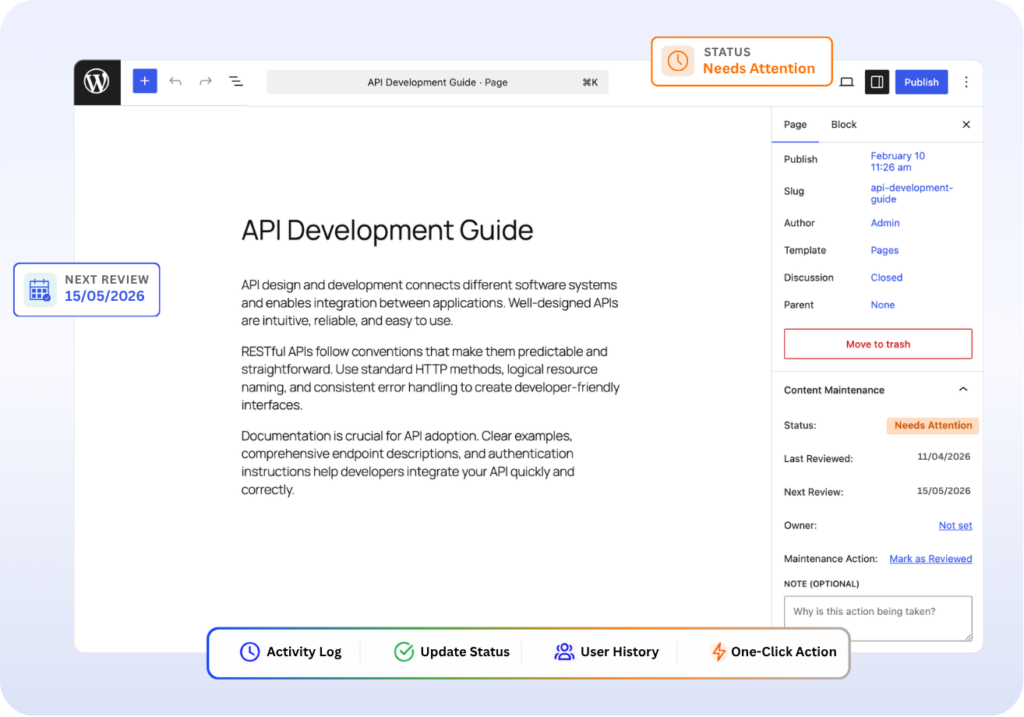
Stay in the Editor. Every Change on Record.
Manage content lifecycle updates directly inside the editor while keeping a complete history of every change.
- Update status, owner, and review date without switching screens
- One-click actions: Mark Reviewed, Snooze, or Archive at save time
- Every change tracked with timestamps and user history (Pro)
- Filter the activity log by user, post type, or date range (Pro)
Content Pipeline
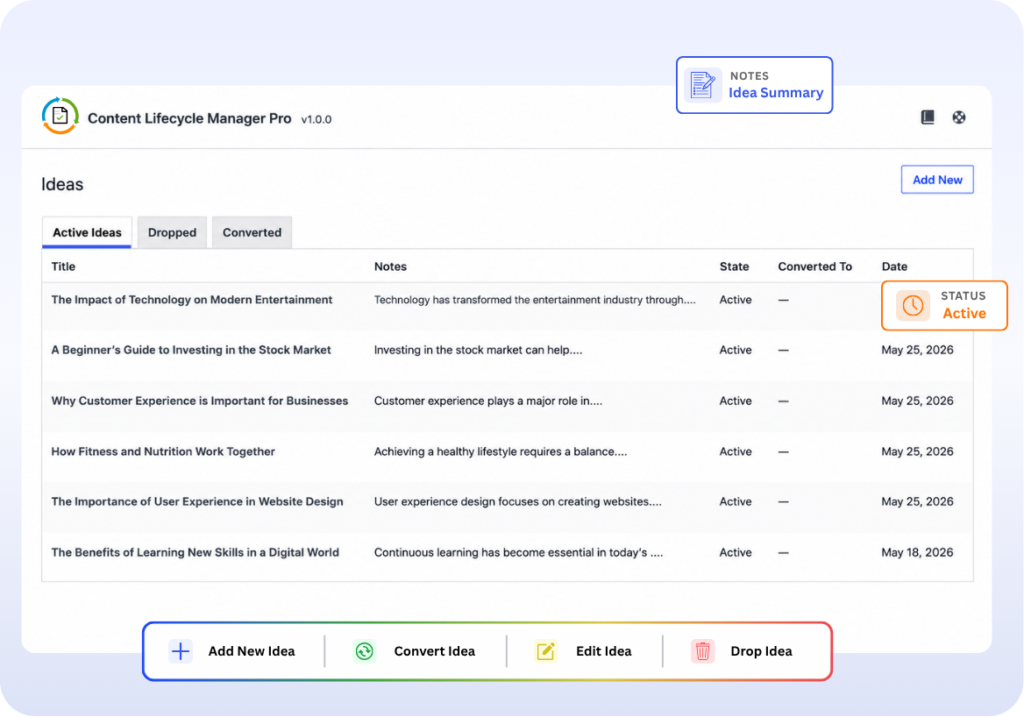
Capture Ideas. Convert Them Into Content.
Capture content ideas instantly and turn them into real content without leaving WordPress.
- Track ideas from spark to published post, all inside WordPress
- Add notes and assign a post type before you start writing
- Convert an idea to a post or page with one click
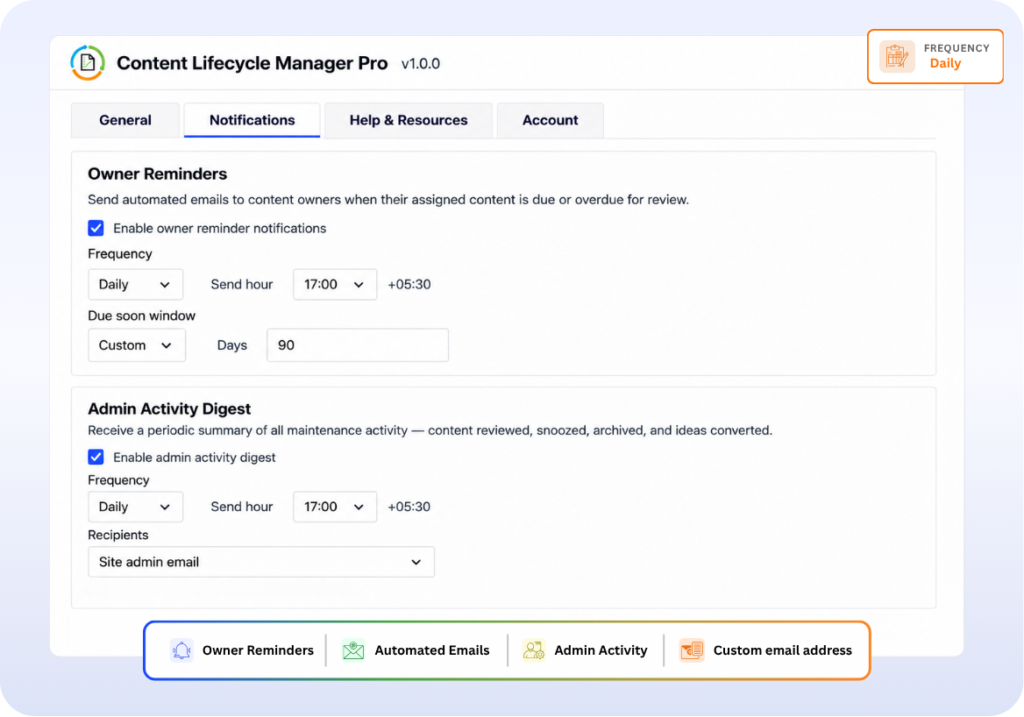
Notifications
Automated Review Reminders for Your Team
Set it once and keep your team informed with automated review reminders and activity updates.
- Never miss an upcoming content review (Pro)
- Control when and how reminders are sent (Pro)
- Team activity summaries delivered automatically (Pro)
Everything you need, at every stage
Start free and unlock the full workflow when your team is ready to scale.
Content Tracking
- Lifecycle status on all posts & pages (Free & Pro)
- Content ownership assignment (Free & Pro)
- Review date scheduling / Next Review (Free & Pro)
- Last Reviewed date tracking (Free & Pro)
- Maintenance actions: Review / Snooze / Archive (Free & Pro)
Dashboard & Views
- Overview dashboard with stat cards (Free & Pro)
- All Content table with filters (Free & Pro)
- WordPress dashboard widget (Free & Pro)
- Post editor sidebar panel (Free & Pro)
Notifications
- Email reminders to content owners (Pro)
- Configurable reminder frequency & due-soon window (Pro)
- Admin Activity Digest emails (Pro)
Planning & History
- Content ideas pipeline: Add / Convert / Drop (Pro)
- Full activity log with change history (Pro)
Built for Real Content Workflows
Solo Site Owners
A Simple Reminder System for Busy Site Owners
Stay on top of outdated posts without spreadsheets or manual tracking.
- Review Reminders – Get notified when important posts are due for updates.
- One-Click Actions – Mark posts reviewed, snooze them, or archive them instantly.
- No Spreadsheets – Everything stays organized directly inside WordPress.
Marketing Teams
Clear Accountability Across Your Content
Keep ownership and review responsibilities clear across writers, editors, and marketers.
- Assign Owners – Every post has a clear person responsible for updates.
- Automatic Reminders – Notify content owners when reviews are overdue.
- Activity Visibility – Track who updated what across the content library.
SEO Professionals
Fight Content Decay Before Rankings Drop
Keep high-performing articles fresh with structured review workflows.
- Scheduled Reviews – Set review cycles that match your SEO strategy.
- Attention Signals – Quickly identify posts that need immediate updates.
- Audit Trail – Track when content was last reviewed and updated.
Agencies
Deliver Content Freshness as a Service
Create repeatable maintenance workflows for multiple client websites.
- Repeatable Systems – Use the same workflow across all client websites.
- Client Reporting – Share maintenance activity and review updates with clients.
- Minimal Overhead – Spend less time tracking content and more time managing it.
Flexible Pricing for Every WordPress Site
All plans include every Pro feature. Pick the licence that matches the number of sites you manage.
14-day money-back guarantee. No questions asked.
Frequently asked questions
Everything you need to know about Content Lifecycle Manager.
Does this work with my existing posts and pages?
Yes. The plugin works with all existing WordPress content immediately after activation. You do not need to do anything special. Every post, page, and custom post type you already have will appear in the lifecycle dashboard and be available for ownership and review date assignment.
What post types does it support?
Content Lifecycle Manager supports standard WordPress posts and pages out of the box. Pro also supports custom post types, so it works with WooCommerce products, portfolio items, documentation, and any other content type your theme or plugins create.
How do the email reminders work?
When a review date is approaching, the plugin automatically sends an email to the assigned content owner. You control how many days in advance the reminder goes out and can customize the message in the settings. Admins can receive a weekly digest summarizing all content activity, updates, and maintenance actions completed by their team. This is a Pro feature.
Can I use this on a WordPress multisite network?
Yes. You can use Content Lifecycle Manager on WordPress multisite networks. Depending on your license plan, you can activate it on a single site or multiple sites.
What is the difference between Annual and Lifetime pricing?
Annual plans include plugin access, updates, and support for one year. Lifetime plans are a one-time purchase that includes lifetime updates and support with no recurring renewal fees.
Is there a money-back guarantee?
Yes. All Pro plans come with a 14-day money-back guarantee. If you’re not satisfied, simply contact our support team within 14 days of purchase for a full refund — no questions asked.
Will this slow down my website?
No. Content Lifecycle Manager runs inside your WordPress admin dashboard and does not affect your website’s frontend performance. It does not load unnecessary scripts or styles on public-facing pages.
Start Managing Your Content the Right Way
Join WordPress site owners who have stopped letting content go stale. Free to install, no credit card needed.