
MCP Tracker
See every MCP request your Abilities API handles
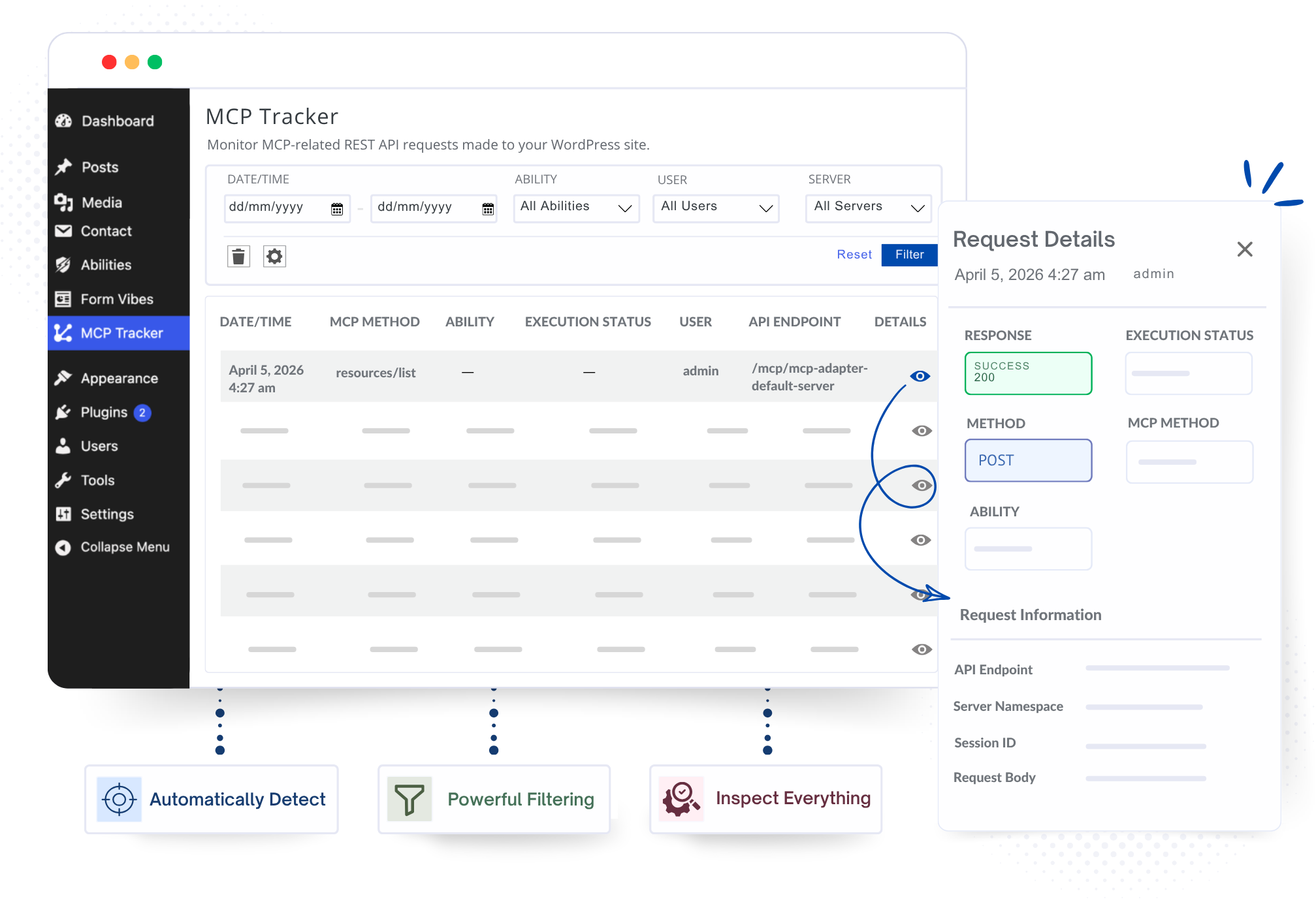
See the requests your MCP integrations send to WordPress, including the request, response, status, and user – all from your WordPress dashboard
✓ Automatic MCP request detection
✓ Logs stay in your WordPress database
How it works
From silent server to full visibility in three steps
No setup, no instrumentation code. Turn it on and start reading what your MCP endpoints are doing.
01
Install & activate
Add MCP Tracker from WordPress.org and activate. It starts listening the moment it’s on, with nothing to wire up.
02
Connect your MCP client
Use Claude, an AI agent, your app, or any other MCP client with your WordPress site. MCP Tracker automatically records each request.
03
Inspect the log
Open the log to read each request and response in full: route, method, payload, response, tool status, and which user made the call.
Free & open
Full request logging, free forever
Every MCP request and response your site handles, captured and stored: the exact payloads in, the exact payloads out, with response status and the user on each call. When an integration misbehaves, you finally have the record to prove what happened.
- Request & response capture
- Full input / output payloads
- Response status & tool result
- Always free
Filtering
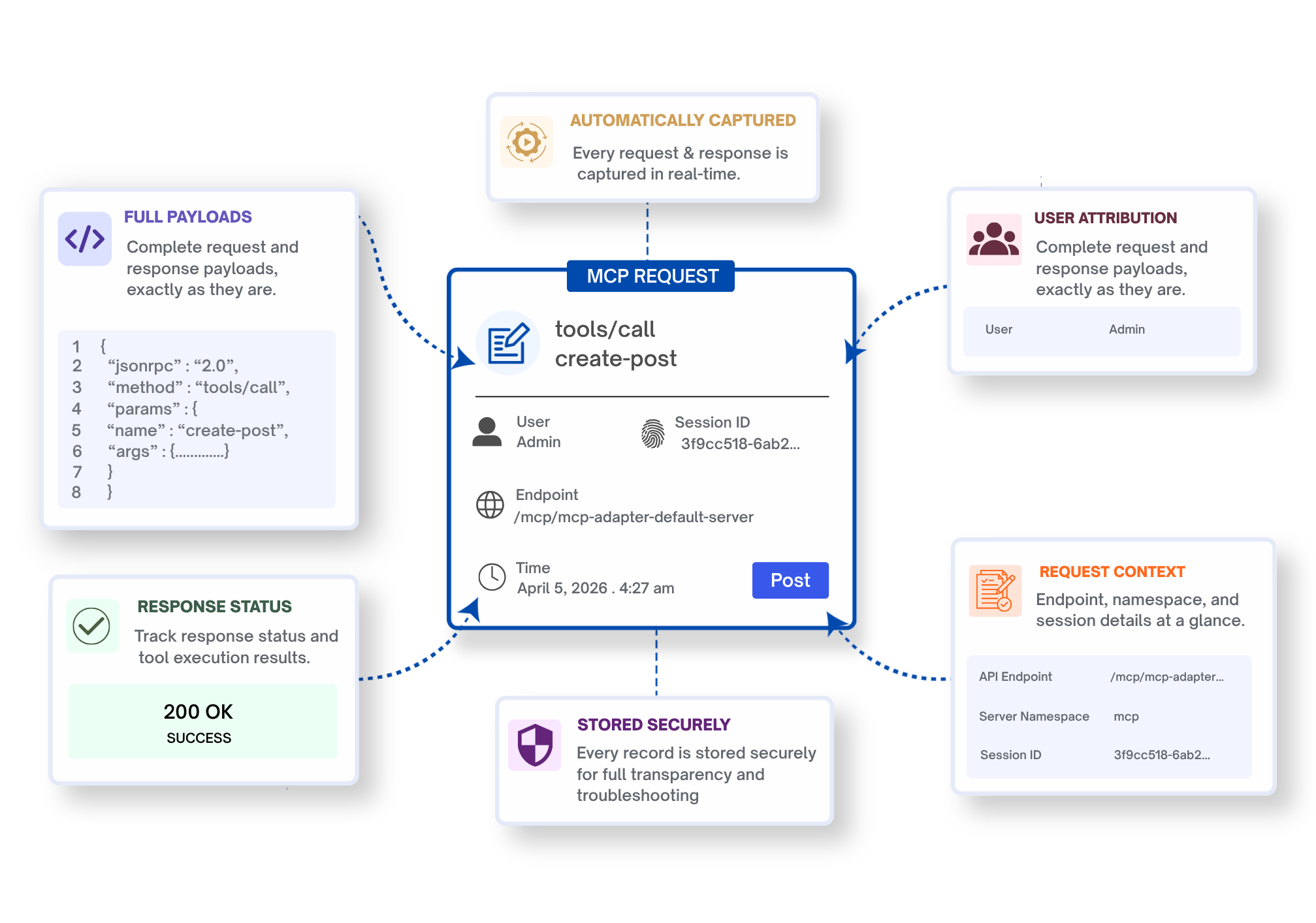
Narrow the log to exactly what you’re debugging
Filter by date range, tool name, and user to zero in on the calls that matter. Running the request through a specific MCP server? Filter by its slug straight from the URL, so a filtered view is one you can bookmark and share.
- Filter by date range, tool name & user
- Filter by MCP server slug, right from the URL
- Shareable, bookmarkable filtered views
- Jump straight to failed or unexpected calls
MCP server
Let AI Agents Read Your MCP Activity
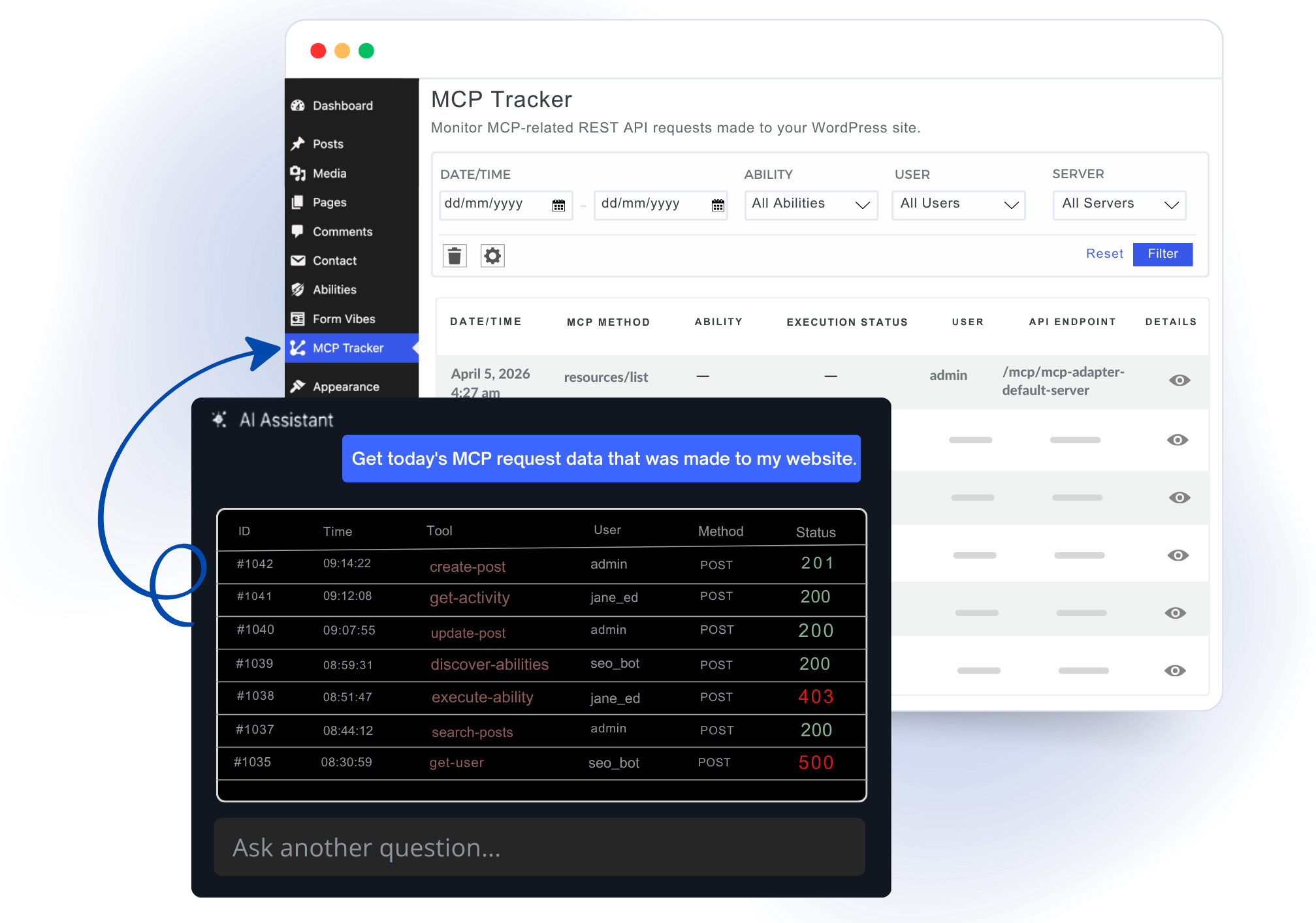
MCP Tracker also provides its own tracker/get-activity ability. This lets authorized AI agents check recent MCP activity directly – including which tools ran, who triggered them, and whether any requests failed.
- Registers
tracker/get-activityvia the MCP Adapter - Lets AI agents read recent tool-usage history
- Query by page, tool, user, and date range
- Turns your audit log into something the AI can reason over
Inspection
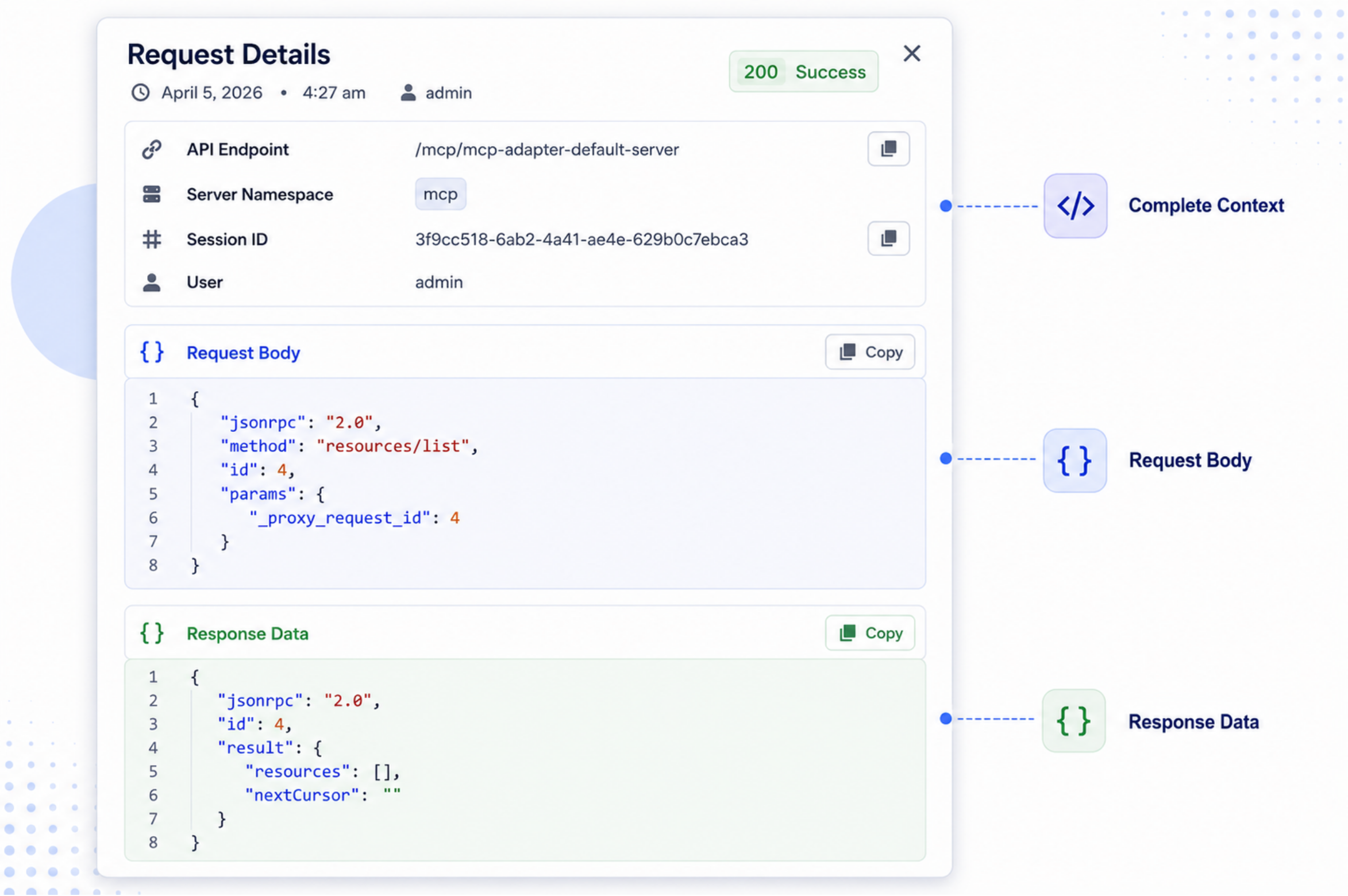
Open any request and read it in full
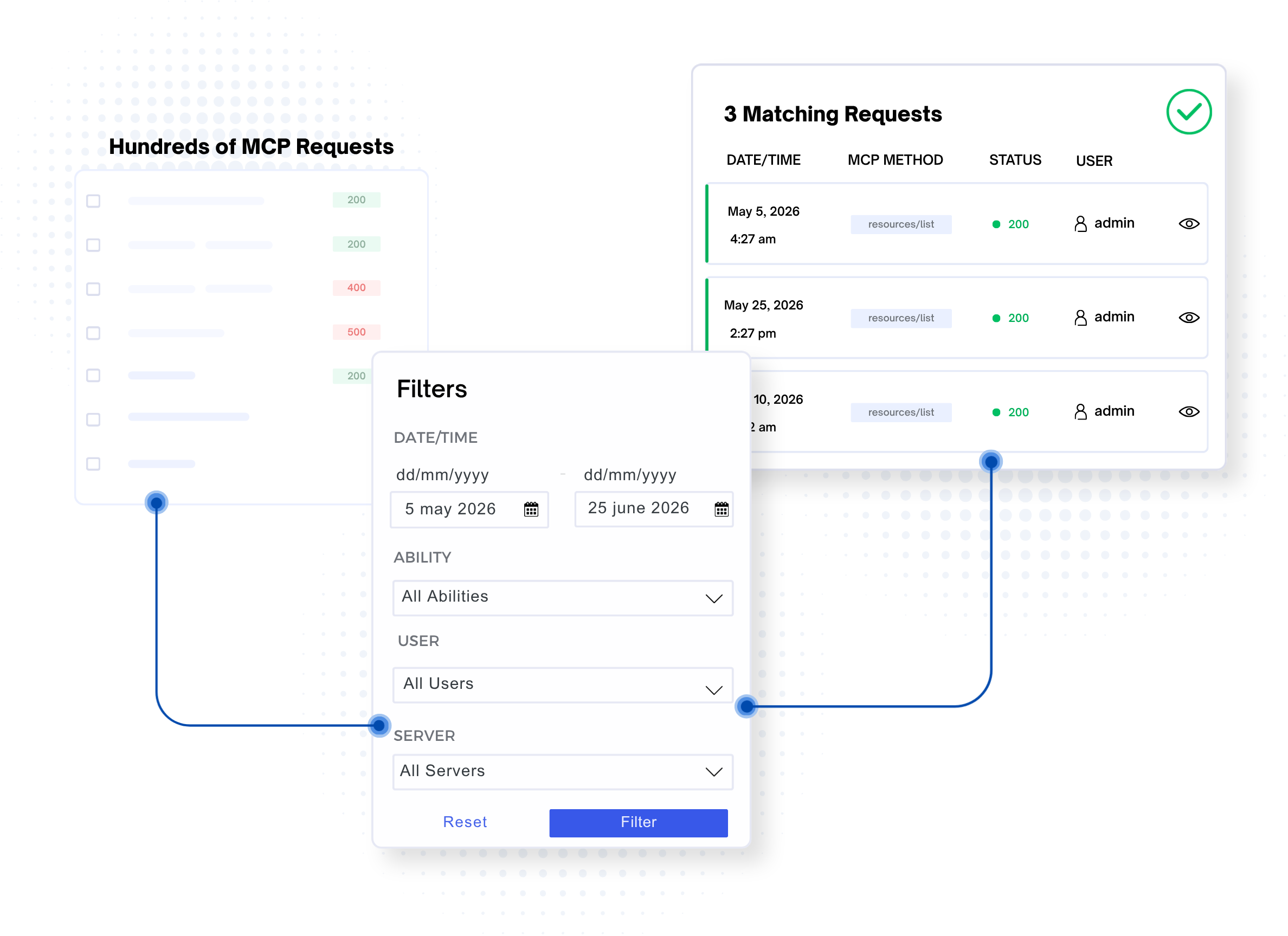
Open any logged request to see its method, ability, endpoint, session ID, request body, response, status, and user, with JSON formatted for easy reading.
- Formatted JSON for request & response bodies
- Method, ability, endpoint & session ID at a glance
- Response status and execution result
- User attribution on every request
Who it’s for
Built for anyone shipping MCP on WordPress
If you’ve ever tried to debug an AI integration with print statements and hope, this is for you.
Plugin & AI developers
You’re building MCP servers or Abilities on WordPress and you’re tired of debugging blind. See the protocol in motion, request by request.
Agencies & integrators
You ship AI features for clients who need traceability when something breaks. Hand over a log, not a shrug.
Core & community contributors
You’re working on the Abilities API and MCP Adapter and want to watch requests land against real endpoints, and even query the activity log as an ability.
All included
Every capability, in the free plugin.
No paid tier, no locked features. Install it, and you have the whole thing.
Automatic MCP detection
Identifies MCP requests via the Mcp-Session-Id header or MCP namespace: nothing to configure.
Comprehensive logging
Route, method, headers, response status & body, and tool execution status, all captured.
User attribution
See which WordPress user, or guest, initiated each MCP request.
Advanced filtering
Filter by date range, tool name, and user, plus MCP server slug, straight from the URL.
Automatic cleanup
Set a retention policy ( keep logs for, say, 30 days ) handled by WP-Cron, plus manual bulk delete.
Private by design
Everything stays in your WordPress database. No external transmission, no telemetry.
What builders say
See What Builders Are Saying
“I love to use this plugin when working or building something around MCP. It a great and lightweight plugin to track your MCP request”
– Deepak Gupta · review on WordPress.org
Used MCP Tracker?
Tell other builders what you think. It takes two minutes on WordPress.org.
FAQ
Questions, answered
What is MCP?
MCP (Model Context Protocol) is a protocol for communication between AI models and external tools or services. MCP Tracker helps you monitor MCP-related requests made to your WordPress site.
Do I need anything else installed to use it?
It’s built for sites exposing MCP through the WordPress Abilities API and MCP Adapter. If AI tools are already reaching your site over MCP, install MCP Tracker and it begins recognizing and logging those requests automatically. No wiring up.
Will this slow down my site?
No. The plugin uses efficient WordPress hooks and database queries with minimal performance impact. Logging only occurs for MCP requests: the ones identified by the Mcp-Session-Id header or an MCP namespace.
Is it safe to run on a production site?
Yes. It only reads and logs. It never modifies, blocks, or alters any REST or MCP request or response. Every action is gated behind the manage_options capability, verified with nonces, and backed by prepared statements throughout. All data stays in your own WordPress database, with no external transmission or telemetry, and auto-cleanup can prune older entries on a schedule.
Who can access the MCP Tracker interface?
Only users with the manage_options capability ( typically administrators ) can access the MCP Tracker admin interface.
What does the tracker/get-activity ability actually let an AI do?
It gives an agent a read-only window into your recent tool history. An assistant can ask which tools ran, who triggered them, and whether any failed ( filtered by tool, user, or date range ) without you exporting a thing by hand.
Start Tracking Your MCP Requests
Install MCP Tracker and get a clear view of the MCP requests running through your WordPress site.